
Platform
Web for the desk, mobile for the ward round, one account for both.
Clinicians, nurses, pharmacists and cashiers sign in to the same hospital with the same permissions, whether they are at a desktop, on a tablet in the ward or on a phone in the pharmacy store.
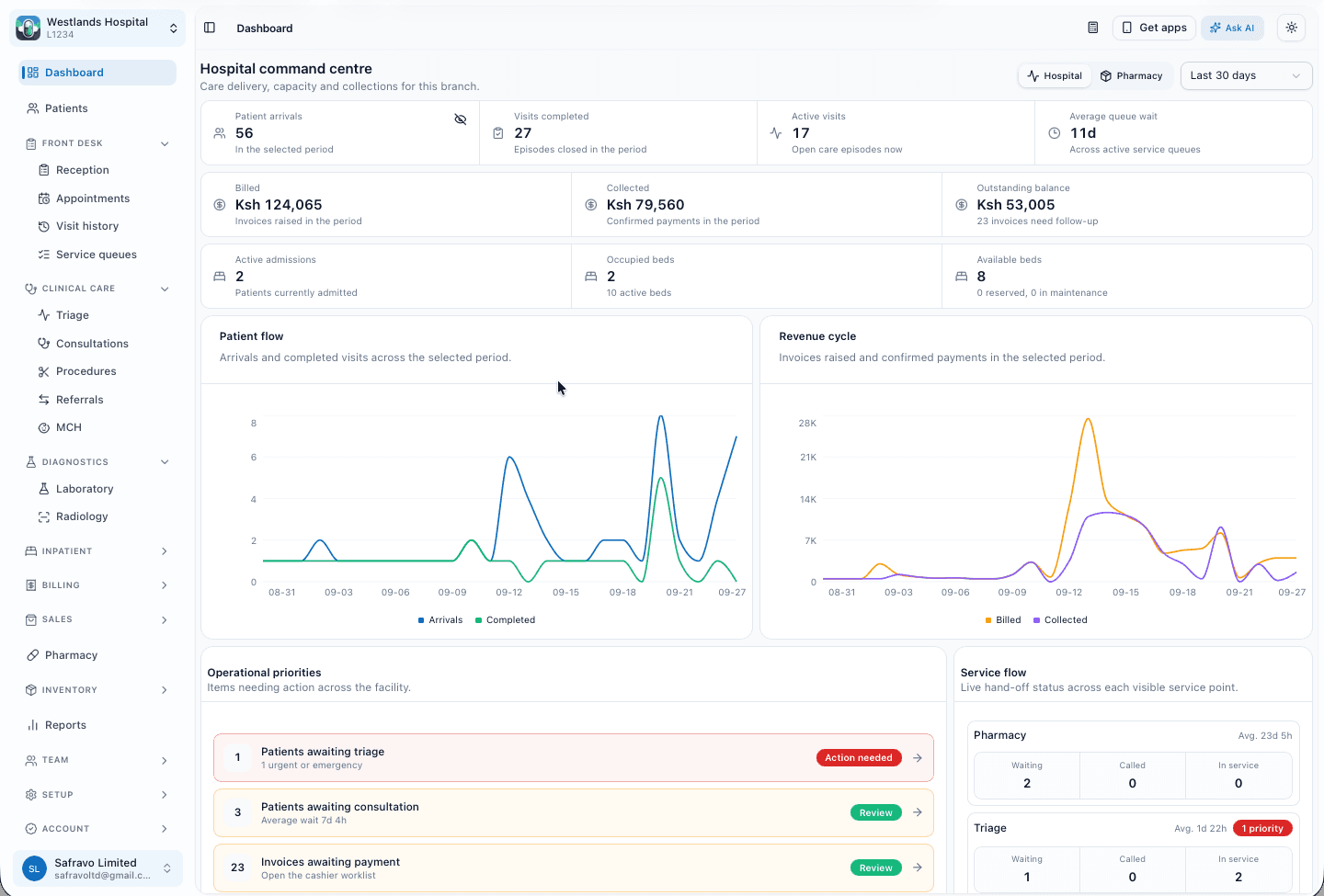
Web workspace
Each hospital gets its own address.
Your hospital's workspace lives on its own sub-domain, with your logo and colours on screens, receipts and reports. It runs in any current browser with no installation, and can be installed as a desktop app for front-desk computers.
- Reception, triage, consultation, laboratory, radiology, pharmacy, wards, cashier and reports
- Public queue display screens for waiting areas
- Role-based navigation: staff see only the departments they work in
- Branded PDFs: receipts, invoices, lab and radiology reports, discharge summaries
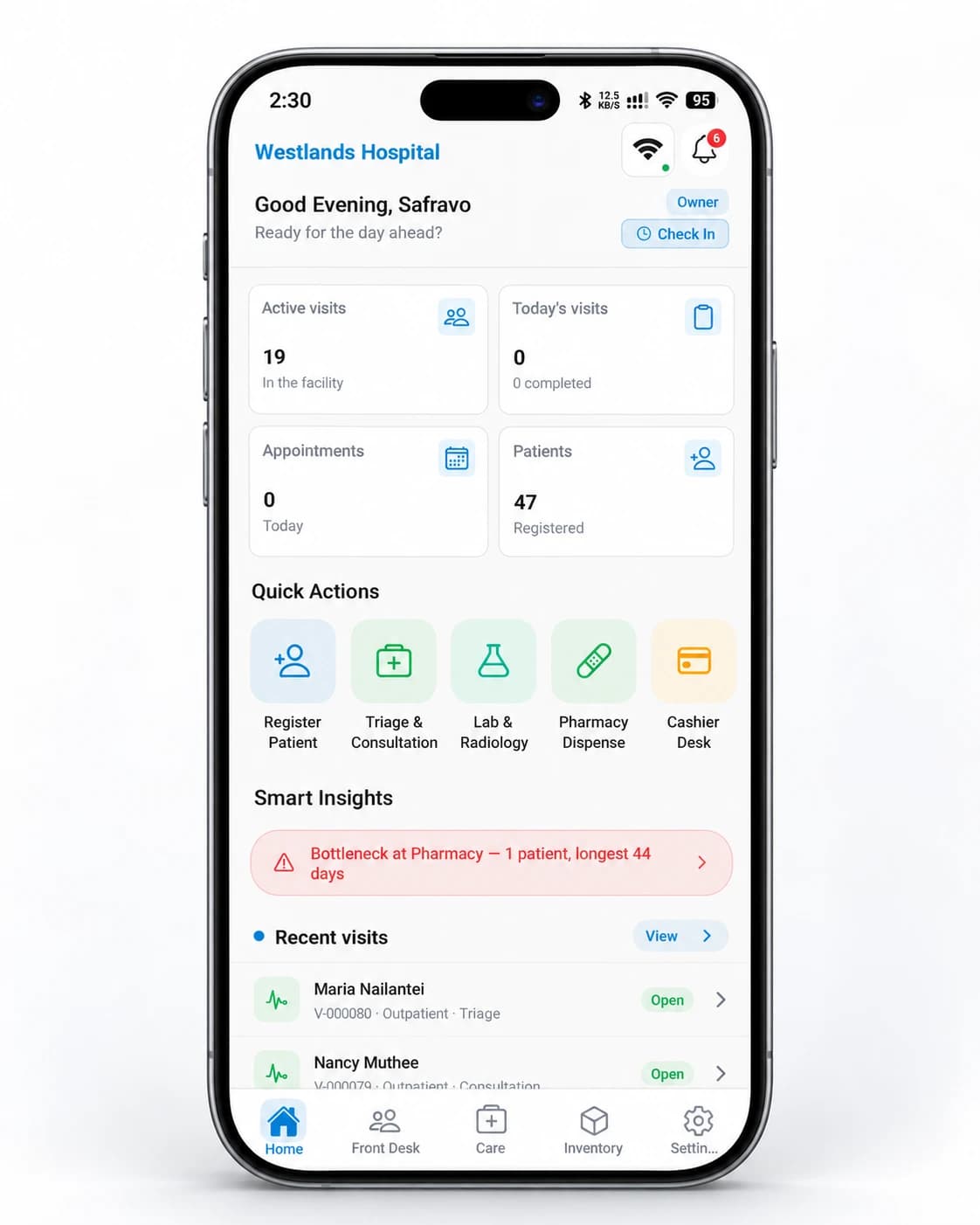
Mobile app
Android and iOS, for the people who are never at a desk.
Nurses triage from the app, pharmacists dispense from it, owners read the day's numbers on it. Features that depend on the device switch on when the device allows them.
Biometric unlock
Face or fingerprint to open the app on a shared ward device.
Camera scanning
Scan barcodes at the pharmacy counter and stock receipt.
Bluetooth receipts
Print receipts on portable thermal printers.
Push notifications
Results ready, low stock, approvals and queue alerts.
Ask AI
An assistant that knows your hospital's records, and nothing it should not.
Staff ask questions in plain language: which patients are waiting for triage, what did we collect yesterday by department, which lab orders are overdue. The assistant reads the hospital's own data through the same permission checks as the screens, and runs only when a user asks.
Each hospital receives a monthly allowance of AI usage; additional usage is purchased in the app. The AI provider is listed in our privacy policy.
Answers from your records
Patients, appointments, queues, visits, lab and radiology orders, prescriptions, invoices, claims, payers, inpatient stays, MCH and reports.
Within the user's permissions
The assistant can only read what the signed-in user is allowed to see. A cashier's assistant does not know clinical notes.
Dictation in any language
Record a short voice clip and it is transcribed into the composer, English or Swahili.
Exports on request
Ask for a report and receive the branded Excel or PDF.
Connected services
Messaging, payments and multi-site, built in.
Messaging
SMS, WhatsApp, email and mobile push for appointment reminders, results ready, receipts and operational alerts. Messages are kept short and the hospital controls which are sent.
M-Pesa
STK Push to the patient's phone from the cashier screen, or Paybill and Till payments matched to the invoice. The hospital's own Paybill or Till can be used, with merchant credentials held encrypted by the payment service.
Hospital groups
Branches under one account, each with its own catalogue, stock, staff and reports. Owners switch between sites and see group-wide reports; staff see only the sites they are assigned to.
Interoperability
What connects today, and what is on the roadmap.
DawaSmart exchanges data through its REST API and the connected services above. National health exchange interfaces are planned through the Digital Health Agency conformance process. We list them as roadmap items and will say when they are live.
- In place
Encrypted in transit
TLS 1.2 and 1.3 only
- Roadmap
SHA electronic claims
Roadmap
- Roadmap
Kenya HIE and FHIR exchange
Roadmap
Next step
See DawaSmart HMIS running on your hospital's workflows.
A demo takes about 45 minutes. We walk through the departments you run, on real screens, and leave you with a written scope and quote.
Or call +254 746 289 413 · Monday to Saturday, 8:00 to 18:00 EAT