
Module 03 · Orders, samples, results
Orders arrive in the lab as the clinician places them; results return to the clinician as soon as they are entered.
The laboratory works from a single worklist. Each order shows the patient, the tests, the sample status and the payment status, so nothing is processed before it is billed and nothing is forgotten after it is collected.
In the product
Real screens, demonstration data.
Captured from the DawaSmart web workspace on a demonstration hospital. Names and figures are fictitious.
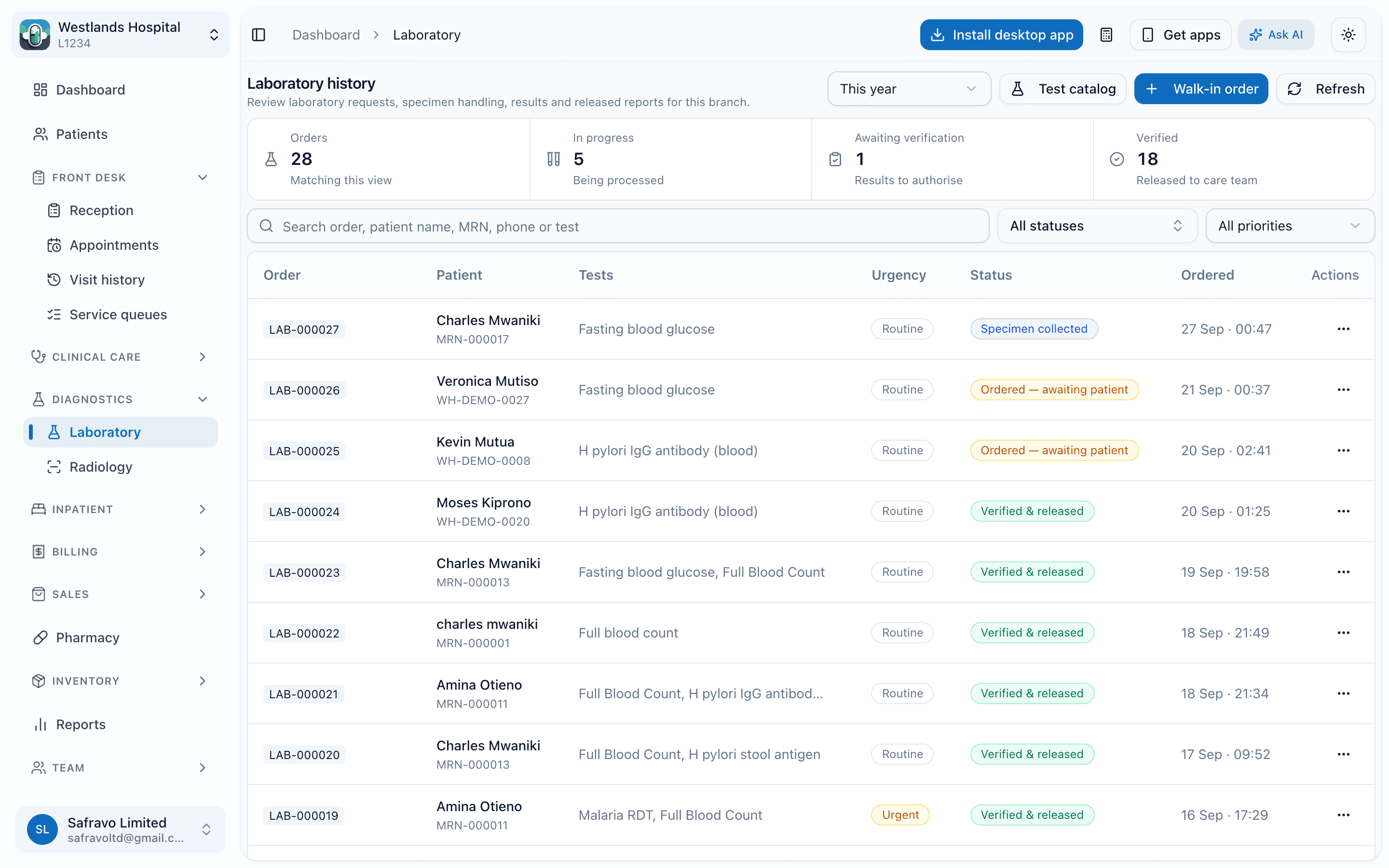
Laboratory worklist
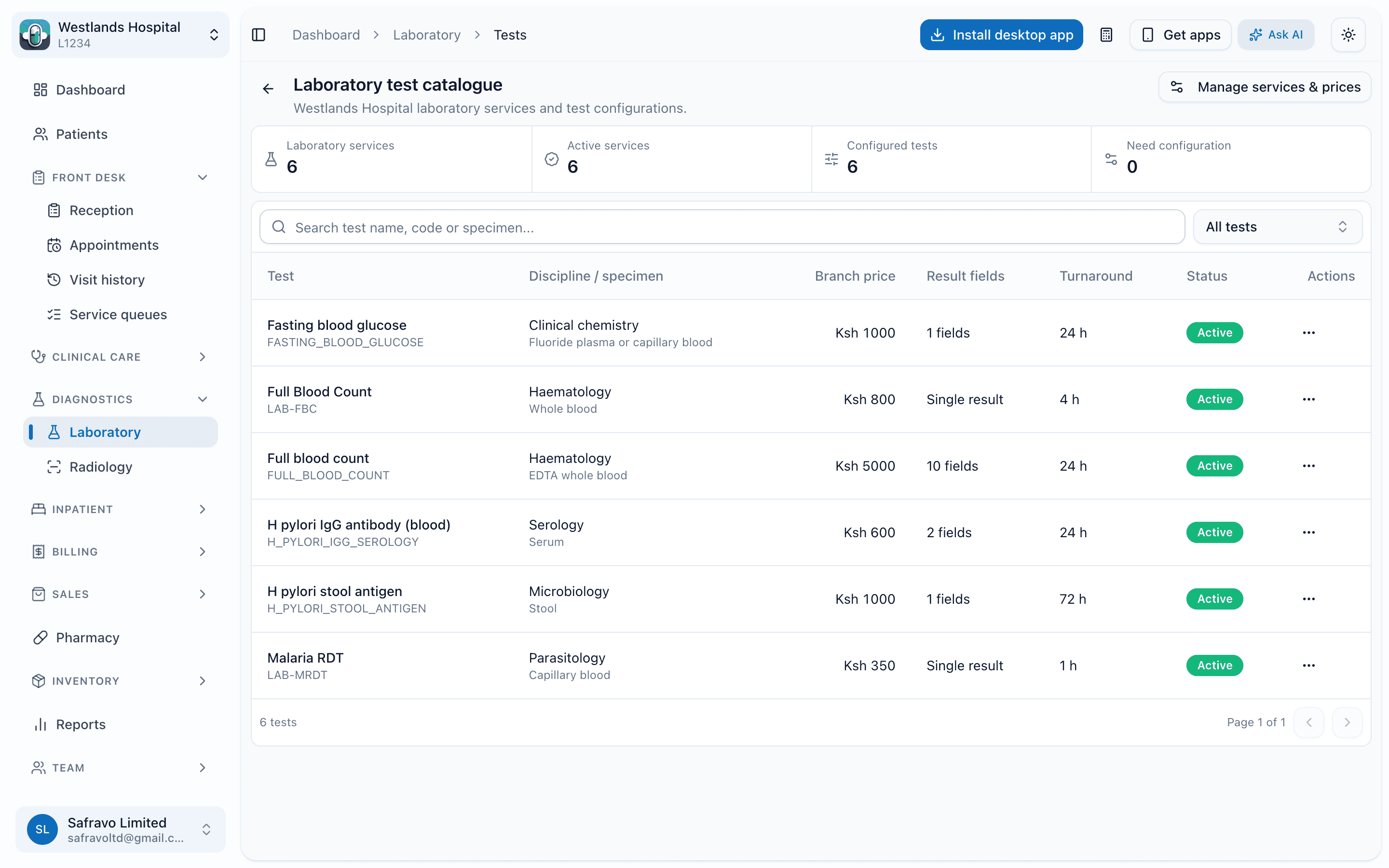
Test catalogue and pricing
What it does
Capabilities, as they exist in the product today.
Catalogue and ordering
- A test catalogue with codes, sample types, turnaround and prices, scoped to each branch
- Orders placed from the consultation or directly in the lab, with billing linked to each test
- Order summary and worklist by status: ordered, collected, in progress, resulted, cancelled
Samples and results
- Sample collection recorded per order, with cancellation of individual tests when needed
- Results entry with reference ranges, and attachments or images on the order or on a single test
- A mobile upload link so a phone photo of an analyser printout can be attached to the order
Reports
- A branded laboratory report PDF per order
- Results sent to the patient by SMS or WhatsApp where the facility enables it
- Test volume and revenue summaries for the lab manager
Workflow
How the work moves.
Who uses it: laboratory technologists, phlebotomists, clinicians, laboratory managers.
- 1
Order
The clinician selects tests; the bill item is created at the same time.
- 2
Collect
The phlebotomist marks the sample collected; the clinician can see it has been.
- 3
Result
Technologists enter results and attach printouts or images.
- 4
Release
The clinician sees results on the care timeline; the patient can receive the report.
Questions
About laboratory
Can we attach analyser printouts?
Do you interface directly with analysers?
Works with
Modules this one hands off to.
Radiology and imaging
Imaging orders, image and document attachments, radiologist reports and reminders.
Outpatient
Registration, appointments, service queues, triage and consultation on one patient record.
Billing, payers and insurance
Invoices built as care happens, a cashier worklist, M-Pesa, discount approvals, payers, pre-authorisations and claims.
Next step
See laboratory running on your hospital's workflows.
A demo takes about 45 minutes. We walk through the departments you run, on real screens, and leave you with a written scope and quote.
Or call +254 746 289 413 · Monday to Saturday, 8:00 to 18:00 EAT